
Blumgi Rocket Unblocked — Play Free Online
More Drift and Race games

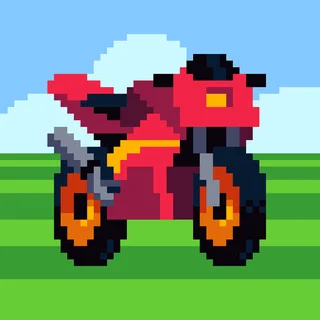

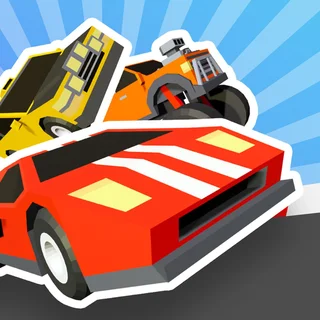
Blumgi Rocket unblocked: play Blumgi Rocket online free right here in your browser — no download, no sign-up, works on a school Chromebook.
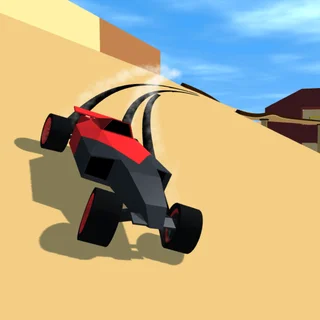
Blumgi Rocket delivers high-speed arcade driving built around explosive physics and precise timing. Instead of managing tire grip or tuning gear ratios on asphalt, you pilot an agile rocket-powered vehicle across colorful, obstacle-packed obstacle courses. The core loop revolves around instant acceleration, dramatic airtime, and launching booster burns at the perfect angle to clear massive chasms, vertical loops, and shifting platforms.
For players visiting Drift Hunters to take a quick break between technical drifting sessions, Blumgi Rocket offers an immediate rush. Where realistic motorsport games require disciplined throttle management and careful entry angles, Blumgi Rocket strips driving down to pure momentum, instinct, and rapid micro-challenges. Each course takes only a few seconds to complete, making it ideal for quick sessions where you want fast action without long loading sequences or complex menus.
How to play
The control setup is straightforward and responsive. On a desktop or laptop keyboard, hold Space, W, or the Up Arrow key to accelerate forward and charge your rocket engine. Holding down the drive key initiates a brief slow-motion window, giving you a chance to adjust your trajectory before triggering a powerful rocket blast. On mobile phones and touchscreens, pressing and holding anywhere on the display activates the same rocket acceleration.
Each level presents a distinct obstacle course featuring steep ramps, floating platforms, and spinning hazards. Your objective is simply to reach the checkered finish line in one piece. If your car flips over, crashes into a barrier, or falls into the abyss below the track, the level instantly restarts without penalty. As you clear consecutive courses, you unlock colorful new vehicle models and character skins to personalize your runs.
Tips for clearing tough tracks
- Use slow motion to aim mid-air: When launching off a steep ramp, holding the boost key slows down time momentarily. Use this fraction of a second to align your nose with the next landing strip before firing.
- Feather the throttle on uneven terrain: Firing maximum boost into a sudden slope can violently flip your chassis backward. Tap your boost lightly to crest bumps smoothly.
- Harness rocket recoil: Firing your rocket booster while airborne generates instant directional thrust. If you find yourself falling short of a distant platform, trigger a rocket burst to gain vital extra distance.
- Study the course layout: Because stages restart in milliseconds after a crash, treat initial failed attempts as scouting runs to identify trapdoors and moving obstacles.
Similar games on Drift Hunters
If you enjoy the fast physics and stunt driving of Blumgi Rocket, explore other quick driving titles available on Drift Hunters. PolyTrack delivers precision low-poly time trials with player-made stunt tracks and loop-de-loops. Retro Highway offers vibrant pixel-art motorcycle dodging through busy highway traffic with collectible coins. If you prefer heavier drift mechanics and vehicle tuning, take a turn in Burnout Drift: Hilltop to slide modified sports cars through winding mountain roads.
Questions about Blumgi Rocket
Is Blumgi Rocket unblocked at school?
Blumgi Rocket runs in an ordinary browser tab from drifthunters.app, with nothing to download or install, so it plays on most school Chromebooks and work computers. If a network filter blocks the site, only that network's administrator can change it.
What are the controls for Blumgi Rocket?
Press Space, W, or the Up Arrow key to boost and accelerate forward. On mobile devices, simply tap and hold the touchscreen to charge and fire your rocket thrusters.
Does Blumgi Rocket save my unlocked skins and progress?
Yes, your stage progress and unlocked vehicle customizations are saved automatically in your browser local storage as long as you use the same device and browser profile.
Can I play Blumgi Rocket on mobile devices and Chromebooks?
Yes, Blumgi Rocket runs directly inside modern web browsers using HTML5, making it fully compatible with desktop computers, laptops, Chromebooks, tablets, and smartphones.
How do I unlock new cars in Blumgi Rocket?
You earn new car models, animal characters, and colorful vehicle skins automatically by beating levels and achieving milestones throughout your run.
More games
 Car Parking School
 Blacktop Police Chase
 Highway Traffic
 Eggy Car
 Flying Car Simulator
 Drive Mad
 Rally Point 5
 Mad Skills Rallycross
 Basketball Legends
 Basketball Shooter
 Minicars Soccer
 Soccer Skills World Cup
 Skibidi Shooter
 Paint Strike
 Stickman War
 Doodle Jump
 Crossy Road
 Skiing Fred
 Running Fred
 Temple of Boom
 Bloxorz
 Ludo Hero
 Merge Cakes
 Block the Pig
 Elastic Face
 House Of Hazards
 Mad Cars Racing And Crash