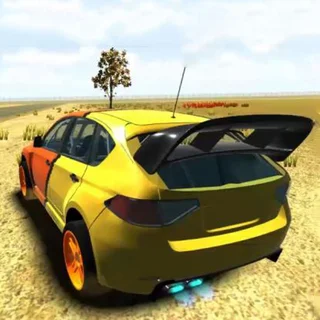


This is Drift Hunters unblocked: the full game loads straight from drifthunters.app in your browser, so you can play Drift Hunters online free on a school Chromebook, a laptop or a phone with no download and no sign-up.
Drift Hunters: how the scoring works and how to set a car up to slide
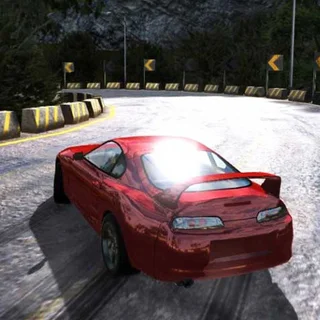
Drift Hunters is the browser drifting game that got the handling right. Every car is rear-wheel drive with weight that shifts under braking, so a slide is something you start and manage rather than a canned animation: tap the handbrake going into the corner, catch the rotation with opposite lock, and feed the throttle to hold the angle. The score ticks up while the car is sideways and the multiplier grows with angle, speed and time in the drift. Straighten up cleanly and the run banks into your total; clip a wall and the combo is gone. Ilya Kovalenko built it in Unity and released it in 2017, and it has been the default drifting game on school Chromebooks ever since.
The version on drifthunters.app is that original WebGL release, served from this domain in six parts (about 135 MB), so the first load takes a minute on a school connection and is cached after that. You start in the garage with a Toyota AE86 and 25,000 points, and the points you earn go on more cars, parts for each one (brakes, weight reduction, gearbox, turbo, engine) and a tuning sheet that actually changes the handling: front and rear camber, wheel offset, ride height, brake balance, brake pressure and turbo pressure. The RACE menu has proper circuits (Nishuri, Stadium, Tyshen, Dust) with a map of each, and the Docks, a container-yard playground with no set route.
Controls & mechanics
| Action | Control | Purpose |
|---|---|---|
| Throttle / brake | Up and Down arrows, or W and S | Up feeds power to the rear wheels and holds the slide; Down brakes, and reverses once you have stopped |
| Steer | Left and Right arrows, or A and D | Turn into the corner to start the rotation, then steer the opposite way (counter-steer) to hold the angle |
| Handbrake | Space | Locks the rear wheels: a short tap on entry breaks the rear loose, a long hold scrubs speed and kills the drift |
| Camera | C, or the camera icon under the rev counter | Cycles the chase views; the far one makes the drift angle easier to read |
| Gears | Left Shift up, Left Ctrl down (manual gearbox, set in OPTIONS) | Automatic is the default; manual lets you hold a lower gear through a long corner |
| Menu | MENU at the top of the screen | Back to the garage to change car, buy parts or tune; the banked total comes with you |
Scoring more per corner
- Enter fast, hold it with throttle, not handbrake: The handbrake only starts the slide. Once the rear is out, keep it there with the throttle and small steering corrections. Riding the handbrake through a corner bleeds speed, and speed is a third of the multiplier.
- Link corners into one run: The Drift counter keeps building as long as the car stays sideways. On Tyshen's esses, transition from one direction to the other without straightening — a flick of the wheel and a lift of the throttle swaps the angle and keeps the counter and multiplier alive.
- Tune before you upgrade: The stock AE86 arrives with -5° front camber and the brake balance at 70% forward. Bring the front camber to about -3°, push the offset out a click at each end and drop the ride height a little, and it slides more predictably than a turbo car on default settings. Spend the first points on TUNING, not the biggest turbo.
- Bank when the wall is close: The total is only safe once the drift ends cleanly. If you are running out of track or heading for a barrier, straighten up early and take the points rather than gambling the whole run on one more corner.
Key features
- A real handling model: Weight transfer, tyre grip and gearing are simulated, so a stiff, low car and a soft, tall car drift differently and the tuning sheet is not decoration.
- Cars, parts and a paint shop: Points buy classic drift cars from the AE86 upward, then brake, weight, gearbox, turbo and engine parts for each one, and VISUALS lets you set paint, rims and stance.
- Served from this domain: The original Unity WebGL build is hosted here: no launcher, no account, and your garage and points save in the browser between sessions.
Game info
- Title: Drift Hunters
- Developer: Ilya Kovalenko
- Category: Drift and Race
- Platform: Web browser (HTML5)
- Type: 3D drifting · single player · saves in the browser
Pro tip: Brake pressure is the slider most people never touch. Drop it from 100% to around 80% and a dab of the foot brake on entry settles the nose and rotates the car without locking the rears — you get the handbrake's rotation without its speed loss, which is where the big multipliers live on Nishuri's long sweepers.